 By
By 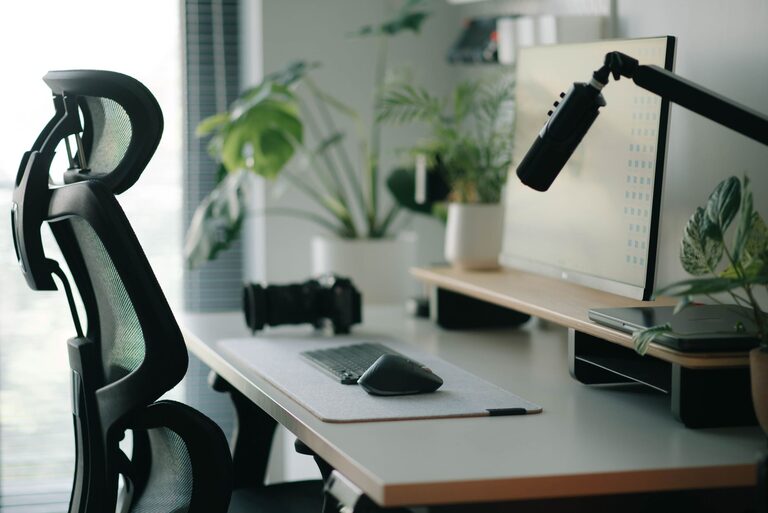
Creating a desk setup that promotes both focus and comfort is essential for anyone who spends significant time working or studying at a desk. A well-organized and thoughtfully arranged workspace can improve productivity, reduce physical strain, and help maintain concentration throughout the day. Whether you’re working from home, studying, or at the office, these desk setup tips will help you create an environment tailored to your needs.
1. Choose the Right Desk and Chair
Ergonomic Desk Height
Your desk should be at a height where your forearms rest comfortably parallel to the floor when typing or writing. Typically, a height around 28 to 30 inches suits most adults, but adjustable desks are a great investment for customizing this precisely.
Supportive Chair
A good chair supports your lower back and encourages good posture. Look for chairs with adjustable height, lumbar support, and a comfortable seat cushion. Sitting with your feet flat on the floor and knees at a 90-degree angle helps reduce fatigue.
2. Position Your Monitor Correctly
Eye Level and Distance
Place your computer monitor so the top of the screen is at or slightly below eye level. This positioning prevents neck strain by encouraging a neutral head position. The monitor should be about an arm’s length away from your eyes, reducing eye fatigue.
Multiple Screens
If you use more than one monitor, position them close together at the same height to minimize head turning. Align the primary screen directly in front of you for easy access.
3. Optimize Lighting
Natural Light
Whenever possible, position your desk near a window to take advantage of natural light. Natural light boosts mood and focus but avoid glare on your screen by using blinds or curtains as needed.
Task Lighting
Add a desk lamp for focused lighting on paperwork or detailed tasks. Adjustable lamps let you direct light exactly where it’s needed without creating shadows or glare.
4. Organize Your Desk for Efficiency
Declutter Regularly
Keep only the essentials on your desk. An uncluttered workspace reduces distractions and helps maintain focus. Use drawers or shelves to store items away neatly.
Use Organizers
Desk organizers, trays, or drawer dividers can keep supplies like pens, paper, and cables in order. Label containers if necessary to quickly find what you need.
Keep Frequently Used Items Close
Place items you use often within easy reach, such as your phone, notepad, or water bottle. This minimizes interruptions caused by searching for things.
5. Promote Comfort with Accessories
Wrist and Arm Support
Consider a wrist rest or chair armrests to reduce strain when typing or using a mouse. These supports help maintain proper hand and arm alignment.
Footrest
If your feet don’t reach the floor comfortably, use a footrest. This helps maintain good posture and decreases pressure on your legs.
6. Personalize Your Space
Add Greenery
Plants not only brighten your desk but can improve air quality and reduce stress. Choose low-maintenance indoor plants like succulents or peace lilies.
Inspirational Elements
Photos, art, or motivational quotes can make your space more welcoming and inspiring. Keep these personal touches balanced to avoid visual clutter.
7. Manage Cables and Technology
Cable Management
Use clips, trays, or ties to keep cables organized and out of sight. A neat cable setup prevents tangling and makes cleaning easier.
Tech Tools
Invest in wireless devices like keyboards and mice to reduce cord clutter. A charging station can keep devices powered without adding mess.
8. Take Breaks and Move
Set Timers
Even with the best desk setup, sitting for long periods can affect comfort. Use a timer to remind yourself to stand, stretch, or walk every 30 to 60 minutes.
Stretching Exercises
Simple stretches and posture changes throughout the day help reduce stiffness and improve circulation.
—
Final Thoughts
Your desk setup plays a crucial role in how well you focus and how comfortable you feel while working. By carefully choosing furniture, organizing your workspace, optimizing lighting, and adding personal touches, you can create a functional, inviting environment that supports your productivity and well-being. Remember, the best setup is one that adapts to your unique needs and encourages healthy habits. Take the time to experiment and adjust your workspace until it feels just right.